Understanding QR Codes: A Brief Overview
QR codes have transformed the way we interact with information in our daily lives. From product packaging to event tickets, these quick-response codes provide instant access to a wealth of information. As technology advances and digital solutions become increasingly integrated into our routines, understanding how to efficiently use a qr scanner becomes pivotal. In this article, we will delve into the specifics of QR codes, explore their functionality, and demonstrate how our QR scanner can enhance your experience.
What is a QR Code?
A QR code, short for Quick Response code, is a type of matrix barcode (2D barcode) that can store various forms of data, including URLs, text, contact details, and more. Originally developed in Japan for the automotive industry, QR codes have evolved into a versatile tool used across various sectors, including marketing, ticketing, and inventory management. Unlike traditional barcodes, which can only be scanned uni-directionally, QR codes can be scanned from any angle, making them more efficient and user-friendly.
How Does a QR Code Work?
QR codes consist of black squares arranged on a white grid. When scanned, a QR code reader interprets these patterns to retrieve encoded information. The data is extracted using a process called decoding, which translates the unique arrangement of squares into readable content. Scanning QR codes through smartphones or dedicated devices is straightforward: simply point the camera at the code, and the scanner does the rest.
Common Uses of QR Codes
- Marketing and Advertising: Brands use QR codes in advertisements, linking to promotional content or discount offers.
- Payments: Contactless payment systems utilize QR codes for secure transactions.
- Event Ticketing: Many events use QR codes for swift check-in and access control.
- Inventory Management: Businesses leverage QR codes for streamlined inventory tracking and management.
- Contact Sharing: QR codes can encode contact information, making it easy to share details without manual entry.
How Our QR Scanner Stands Out
In a world flooded with QR scanners, our tool offers unique features that set it apart from the competition. With an emphasis on usability, security, and seamless integration, our QR scanner is designed to meet the needs of both casual users and businesses.
Fast and Easy to Use
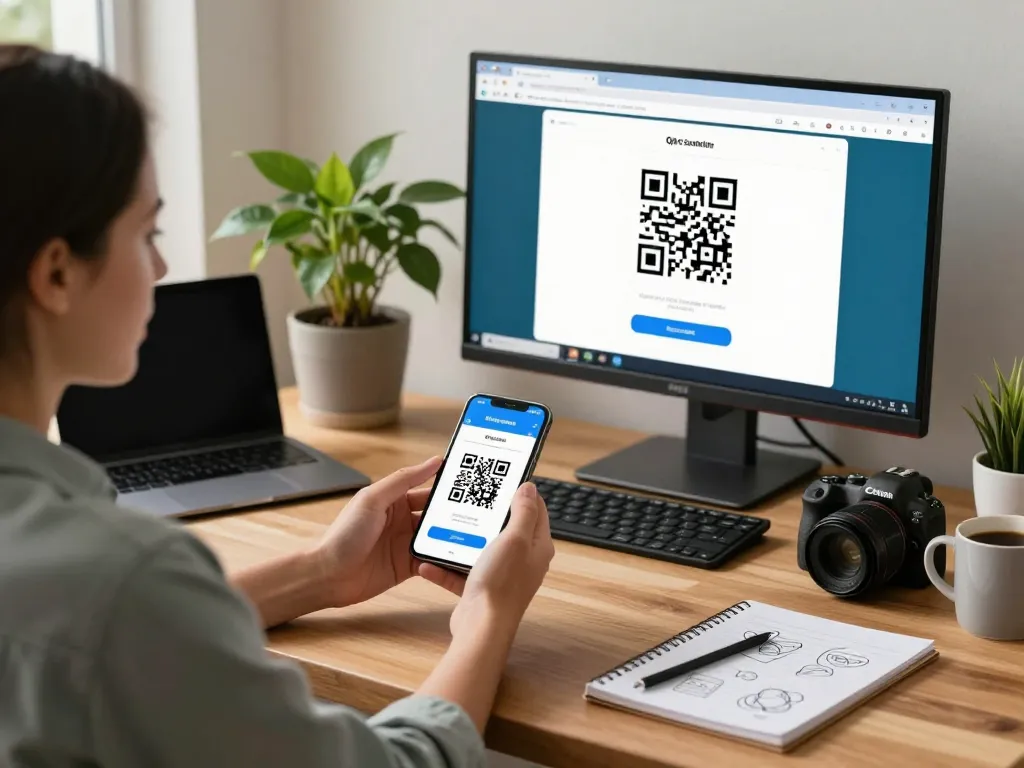
Our QR scanner is built for speed and efficiency. Users can access the scanner directly from their web browser without downloading any application. This simple approach allows for quick scanning with just a few clicks, ensuring users have immediate access to their desired information.
Secure and Private Scanning Experience
One of the primary concerns when scanning QR codes is data security. Our scanner prioritizes user privacy by ensuring that all scanned data is processed locally, meaning we do not store or log any information. Users can scan codes with peace of mind, knowing their data remains private.
No App Required: Instant Access on Any Device
The hassle of downloading applications is eliminated with our QR scanner. It functions seamlessly across any device with a camera, whether it’s a smartphone, tablet, or desktop computer. This functionality allows users to scan QR codes whenever and wherever they need, without cluttering their device with extra apps.
Device Compatibility and User Accessibility
Accessibility is key to the success of our QR scanner. We understand that users utilize a variety of devices and operating systems, which is why our tool is compatible with both Android and iOS platforms, ensuring everyone can benefit from its features.
Supported Devices and Browsers
Our QR scanner supports modern browsers across multiple devices, including:
- Smartphones (iOS and Android)
- Tablets (iOS and Android)
- Desktop Computers (Windows, Mac, and Linux)
As long as your device has an active camera and internet connection, you can scan QR codes effortlessly.
Multi-Device Functionality Explained
The multi-device compatibility of our QR scanner means you can use it interchangeably across devices without losing functionality. Whether you switch from a mobile phone to a laptop, the scanning process remains the same, making it incredibly versatile for personal or professional use.
Steps to Access the QR Scanner
- Open your preferred web browser.
- Visit the QR scanner website.
- Grant camera access when prompted.
- Point your camera at the QR code and wait for the scanner to process it.
Advanced Features of Our QR Scanner
Our QR scanner encompasses a variety of advanced features designed to enhance user experience and broaden its usability.
Uploading and Scanning QR Code Images
In addition to scanning QR codes directly through the camera, our tool allows users to upload images of QR codes. This feature is particularly beneficial when users receive QR codes via email or social media, enabling seamless scanning without needing to print or display the code physically.
Support for Various QR Code Types
Our scanner supports a broad range of QR code formats, including:
- URLs
- Text
- Contact Details (vCard)
- Wi-Fi Access Information
- SMS Messages
- Geolocation
No matter the QR code type, our scanner will decode it swiftly and accurately, ensuring a smooth user experience.
Continuous Improvements and Updates
We are committed to keeping our QR scanner at the forefront of technology. This includes regular updates that incorporate user feedback and the latest advancements in QR scanning technology, ensuring our users always have access to a cutting-edge tool.
Frequently Asked Questions about QR Scanners
To further assist our users, we’ve compiled a list of frequently asked questions regarding our QR scanner and its functionalities.
Do I Need to Download an App?
No, downloading an app is unnecessary. Our QR scanner operates directly from your web browser on any device with a camera, providing instant access and eliminating any installation hassle.
Is the QR Scanner Free to Use?
Yes! Our QR scanner is completely free to use, allowing unlimited scans without hidden fees or subscriptions. It’s an ideal solution for both individual users and businesses alike.
What Happens to My Data When Scanning?
Your data privacy is our top priority. When you use our scanner, all information remains on your device. We do not track, store, or log any data you scan, ensuring your information stays confidential and secure.